



























Product description
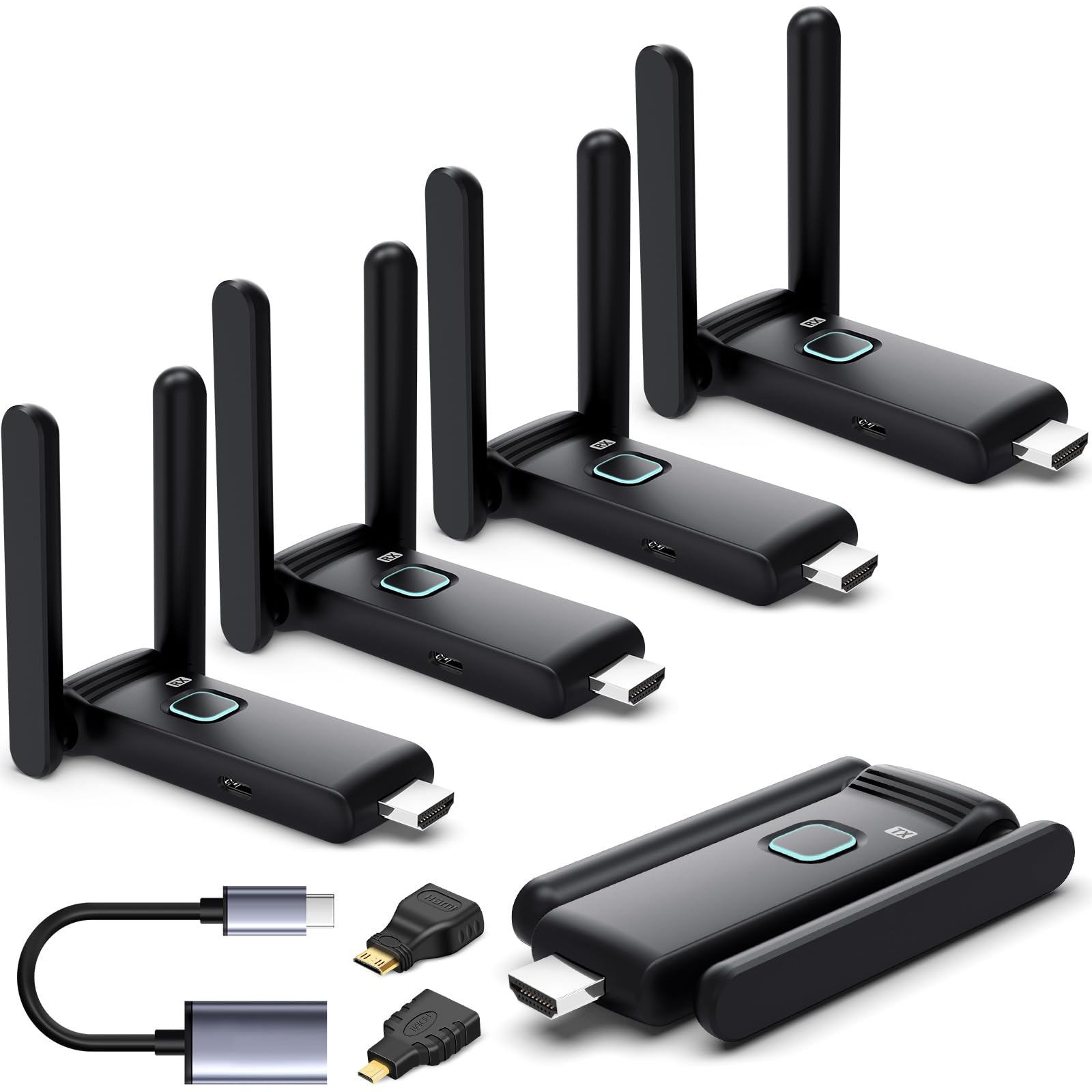
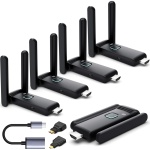
YUYUNLOMN New Upgrade Wireless HDMI Transmitter and Receiver Kit
165FT(50M) Ultra-high Remote Transmission
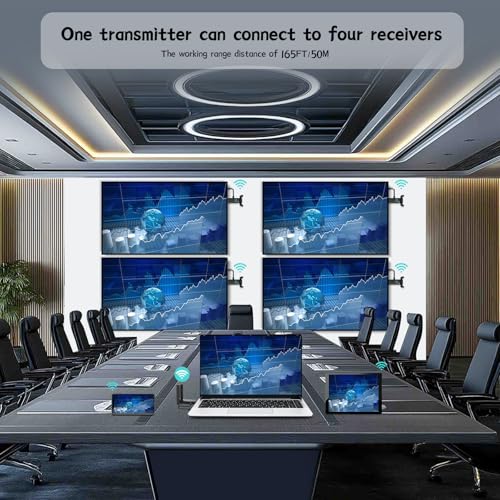
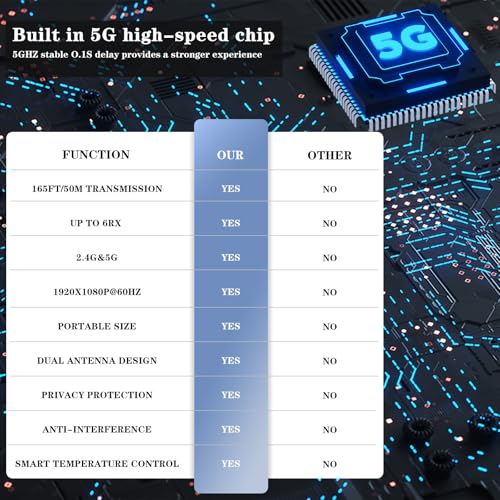
This HDMI wireless splitter features a dual-antenna design with 5.8GHz/2.4GHz dual-band transmission, supporting ultra-long-range wireless transmission up to 165 feet (approximately 50 meters), ensuring a stable and clear signal in vast spaces such as large conference halls. This means presenters don’t have to worry about signal delays or interruptions due to excessive distance, allowing for more freedom to interact with the audience.
Multi-device Connectivity: This wireless HDMI Kit can simultaneously wirelessly transmit to up to four receiver ends (RXS), pre-paired at the factory, fulfilling the need for multi-screen displays. This is undoubtedly a significant advantage for situations requiring the simultaneous display of multiple content sources.
Plug and Play: Setup is quick and easy, requiring no software installation and eliminating cable clutter. It offers a true plug-and-play experience in just a few minutes.
Broad Compatibility: This HDMI wireless Kit supports connections with a variety of devices, including computers, projectors, TVs, and more, offering extensive compatibility. Whether in business meetings or home entertainment, it fits various use cases. Additionally, it comes with a TYPE-C to HDMI adapter, enabling you to achieve HDMI wireless or USB-C wireless connectivity.
HDMI Wireless Kit – Widely compatible with various devices
HDMI Wireless to Multiple TVs
This wireless HDMI display dongle kit seamlessly integrates with TVs and projectors featuring an HDMI input. It boasts wireless connectivity to a wide array of devices, including cable boxes, Blu-ray players, set-top boxes, DVRs, laptops, TVs, monitors, AV receivers, computer systems, and other HDMI-enabled media sources. Perfect for enhancing presentations in offices, conferences, church settings, and providing an immersive home entertainment experience.
The HDMI wireless transmitter supports decoding 4K@60Hz or 1080P@60Hz video signals and then outputs full HD video signals at 1080P@60Hz.
YUYUNLOMN New Upgrade HDMI wireless splitter – One TX can connect six RXs simultaneously
wireless video to multiple screens
The Wireless HDMI Kit is a newly upgraded wireless transmission device that allows you to effortlessly stream content from a laptop or other HDMI signal sources to up to six displays or smart mobile devices, enabling true multi-screen interaction. With no need for cumbersome cable connections, you can achieve synchronized or extended display of screen content. Whether for business meetings, outdoor travel, home entertainment, or educational training scenarios, this device will be your trusty assistant. Note, when you have connected up to 6 receivers, you need to successfully pair them first. Then, unplug all 6 receivers and disconnect their power before plugging them back into the monitor or TV. This will ensure a more stable transmission.You can add more RX as needed(RX ASIN: B0DPKSFXRV).When using the new RX for the first time, a simple manual pairing is required. Once paired successfully, future uses will automatically pair without further operation. Method: Insert the RX into the monitor and power it with a 5V/1A charger. Then, insert the TX into the laptop and wait for the connection interface to appear on the display device. Press the TX and RX buttons simultaneously until the TX starts flashing. Release the buttons and wait for 5-30 seconds to complete the synchronization. If the TX stops flashing, it indicates successful pairing.After successful pairing, all receivers need to be unplugged and powered off for 3 seconds before reinserting the TV.
5V/1A: All HDMI transmitter and receivers require 5V1A power supply to connect properly.
5.8GHz/2.4GHz: Dual-band and dual antenna wireless transmission technology.
Full HD 1080P@Hz: All displays support Full HD 1080p@60Hz signal output.
165FT/50M: Supporting an ultra long transmission distance of 50 meters in open areas, it will be shortened to 15 meters when separated by walls.
Efficient heat dissipation, comfortable to use
The new upgrade G58 Wireless HDMI transmitter and receiver features thermal dissipation structural design, equipped internally with high-efficiency cooling components. By optimizing the heat dissipation channels and increasing the heat dissipation area, the adapter can quickly expel internally generated heat, thereby maintaining a stable temperature state. This design not only enhances the adapter’s cooling efficiency but also significantly extends its service life.
Furthermore, the new upgrade G58 HDMI Wireless transmitter and receiver incorporates intelligent temperature control technology, which can monitor the adapter’s temperature status in real-time and automatically adjust the cooling power based on temperature changes. When the adapter’s temperature rises, the intelligent temperature control system will immediately activate, enhancing the cooling effect to ensure that the adapter’s temperature remains within a safe range. Even if the adapter generates a certain amount of heat after prolonged use, users need not worry about it becoming too hot to handle.
HDMI Wireless transmitter and receiver kit – Multimedia Compatibility
Wirelessly Simultaneous Expansion Multiple TVs
HD Transmission: TX supports 4K audio and video decoding, and then outputs full 1080p@60Hz Audio and video, ensuring clear and detailed visuals.
Low Latency: Achieves low latency transmission through optimized algorithms and efficient transmission protocols, ensuring audio and video synchronization.
Strong Compatibility: Supports iOS/Android devices (iPhone/iPad/Smartphone) as well as various other mainstream brand devices, meeting users’ diverse needs.
TuTuPlay App – Turn Mobile Phone Tablet As a Display
HDMI wireless receiver and transmitter
Four easy steps to achieve seamless connection:
- Connect the transmitter: Connect the TX (transmitter) to the HDMI port of your laptop or output device, and use a Type-C cable to power it. It is recommended to use a 5V/1A charger with a USB-A interface for power supply.
- Mobile Device Preparation: Download and install the TuTuPlay application on your iPhone, iPad, smartphone, or tablet to ensure compatibility with your device.
- WiFi Connection: Open the WiFi settings on your mobile device, search for and select the “TuTuPlay- xxx” network, and enter the provided password “12345678” to connect.
- Application Activation: Open the installed TuTuPlay application to begin wirelessly mirroring your laptop screen to your mobile device.
- When the transmission signal is poor, you can open the channel option and switch to other channels with stable signal transmission.
Up to 6 display screens can be connected:
1. Matching 1TX with 2 TV+4 mobile phones or tablets
2. Matching 1TX with 4 TVs+2 mobile phone or tablet
3. Matching 1TX with 3 TVs+3 phones or tablets
4. Matching 1TX with 6 TVs/screens
5. Matching 1TX with 6 phones or tablets
Note: If the TuTuPlay App cannot be connected after downloading it on the iPad, please open the iPad settings, find the TuTuPlay App, and check if the (local network) is open. This option needs to be turned on to use the TuTuPlay App normally.
Reviews
Clear filtersThere are no reviews yet.