

























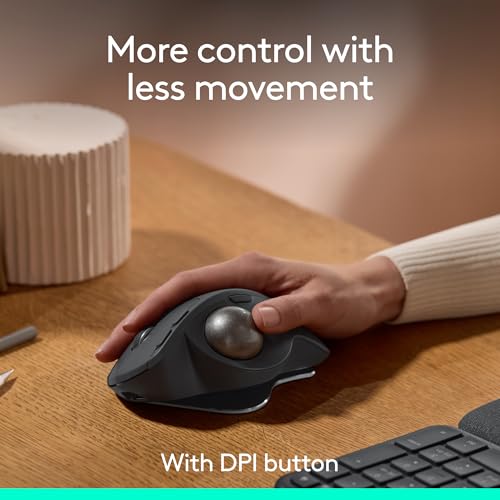
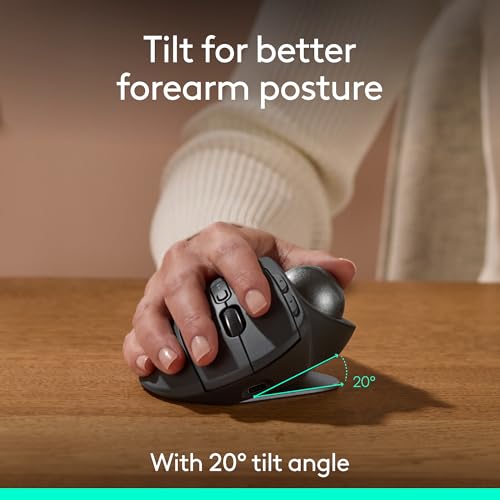
The MX Ergo S is Logitech’s most advanced ergonomic trackball mouse yet, with a 20-degree tilt angle and precise thumb control – user-tested and certified by ergonomists. The MX Ergo S wireless ergonomic mouse is sculpted to fit the palm of your hand while keeping it relaxed, and it tilts 20 degrees for 27% less muscle activity in the forearm (1), providing elevated comfort throughout your day. Work faster with 6 customizable buttons and a DPI button to effortlessly switch between speed and high-precision tracking. Now with 80% quieter clicks (5). For even more control that’s tailored to your needs, assign time-saving shortcuts and Smart Actions using the Logi Options+ App (2). Connect your wireless mouse to 2 devices via Bluetooth or the included Logi Bolt receiver and switch between devices with the Easy-Switch button. Charge the rechargeable mouse with a USB Type C to Type C or USB Type A to Type C cable (not included) and get 24 hours of use from a 1-minute charge. A full charge lasts up to 120 days (3). (1) In the forearm with 20-degree angle, compared to a Logitech M650 mouse. (2) Requires Logi Options+ app, available for recent versions of Windows and macOS (3) Battery life may vary based on user and computing conditions. (4) Excludes plastic in receiver, printed wiring assembly, cables, and packaging. (5) Sound level comparison between MX Ergo S and MX Ergo. Left click dBA measured by the Logitech internal lab at 1 m. (6) The device’s basic functions will be supported without additional drivers for operating systems other than Windows and macOS.

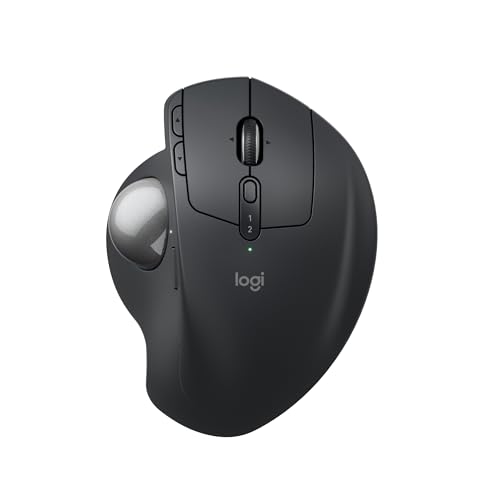
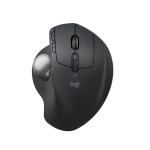



Logitech MX Ergo S Advanced Wireless Trackball Mouse, USB-C Rechargeable Wireless Ergonomic Mouse with Bluetooth and Encrypted Dongle, 6 Programmable Buttons, for PC/Mac – Graphite
$107.99
- Advanced thumb control: The MX Ergo S Advanced wireless trackball mouse gives more control with less movement; switch between speed and high-precision tracking at the tap of a button
- 20-degree tilt: A wireless ergonomic mouse with a tilt angle for better forearm posture, reducing muscle strain by 27% (1); now with 80% quieter clicks (5)
- Contoured for your hand: The MX Ergo S is certified by ergonomists for improved comfort, with a sculpted ergonomic design, 20-degree tilt angle, and soft rubber grip; for medium- to large-sized hands
- Boost your productivity using the Logi Options+ App (2): Experience enhanced control in your daily tasks with 6 customizable buttons, time-saving shortcuts, and Smart Actions
- Quick USB-C charging: Enjoy up to 24h of use from a 1 min charge or up to 120 days (3) with a full charge; charges with a USB Type C to Type C or USB Type A to Type C cable (not included)
- Dual wireless connectivity: Connect your rechargeable wireless mouse via Bluetooth or Logi Bolt USB receiver (included); supported by an Easy-Switch button
- Made with recycled plastic: The plastic parts in the MX Ergo S wireless rechargeable mouse are made of 20% certified post-consumer recycled plastic (4)
- Complete your advanced setup: Pair the MX Ergo S with the ERGO K860 ergonomic split-curved keyboard, featuring an integrated cushioned palm rest for all-day comfort
- Note: In case of Wireless mouse, the USB receiver will be provided inside or along with the mouse
Shipping & Delivery
Thank you for shopping with us! Here is everything you need to know about our shipping and delivery process:
Order Processing
All orders are processed and prepared for shipment within 1–2 business days. Orders placed on weekends or holidays will be processed on the next business day.
Delivery Timeline
Once shipped, delivery usually takes 3–5 business days, depending on your location and the shipping method selected at checkout.
Order Tracking
As soon as your package is on its way, we will send you a confirmation email containing your tracking number and link so you can follow its journey.
Package Inspection
Please inspect your package upon delivery. If you notice any visible damage to the box, please refuse the delivery or report it to the courier immediately before signing.
Need Help?
If you have any questions about your shipment, feel free to contact our customer support team at info@gkmelectronics.com .
Related products

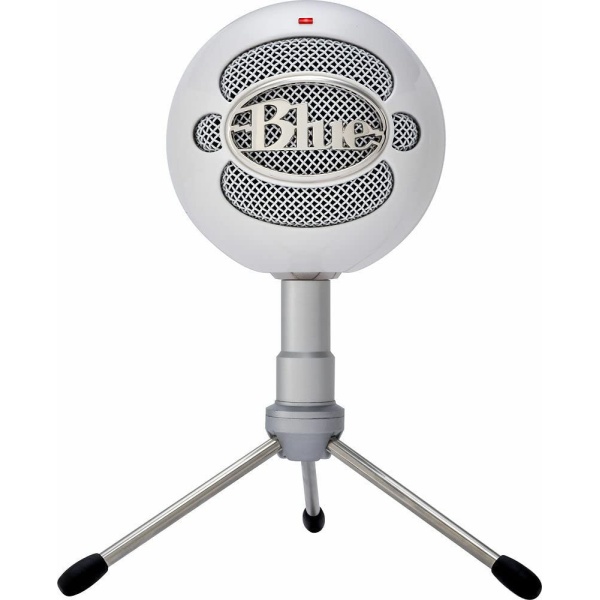
Logitech for Creators Blue Snowball iCE USB Microphone – White
In stock
Reviews
Clear filtersThere are no reviews yet.